


Connecting via a Text Key
AmneziaVPN offers several ways to create a connection:
• entering a key — text that starts with vpn://...
• importing a configuration file — a .conf file
• scanning a QR code
Below we describe creating a connection using a text key vpn://..., but you can also use other key formats, such as vless://... or ss://.... Copy the entire key on the connecting device beforehand. If the key is not copied completely (missing or extra characters), the app will report an error.
- Open AmneziaVPN and tap the ➕ (plus) icon or the Let's Go button if you have no other connections.
- Tap the Paste button next to the key input field → Continue → Connect.
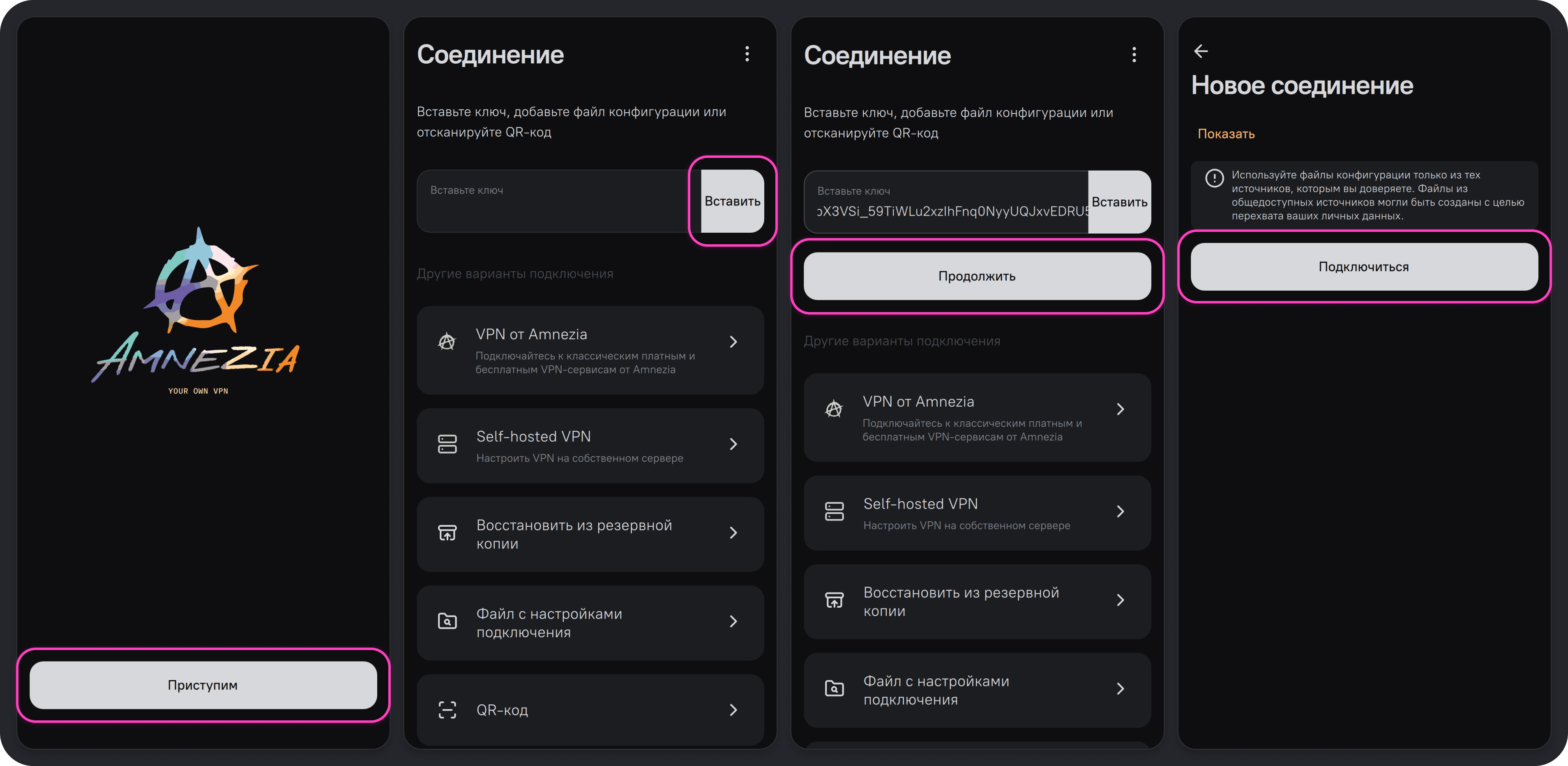
A new connection has been created — you can connect